
01 · SCAN OR SEARCH
Find the food
Use a barcode, type the name, choose a recent food or take a photo with Pro.
A UK food diary for iPhone
Scan a barcode to find out what’s in your food. Add it to your diary and see how the day adds up.
Free to download · no subscription needed to start · iOS 17 or later
Start with the packet
Point your camera at the barcode. NutraSafe brings the useful parts of the packet into one clear view, including the ingredients that are easy to miss when you are standing in the aisle.
Choose the serving or enter the weight and the numbers update.
Each additive is named and explained in everyday language, with the source behind any concern.
NutraSafe flags the Big 14 it finds in the ingredient data. Always check the packet as well.
See the processing level and the reason behind the food’s score.
A typical ingredients list
Pork (87%), water, salt, preservatives: sodium nitrite, potassium nitrate; antioxidant: sodium ascorbate.
NutraSafe checks names as well as E-numbers, because many packets only show the name.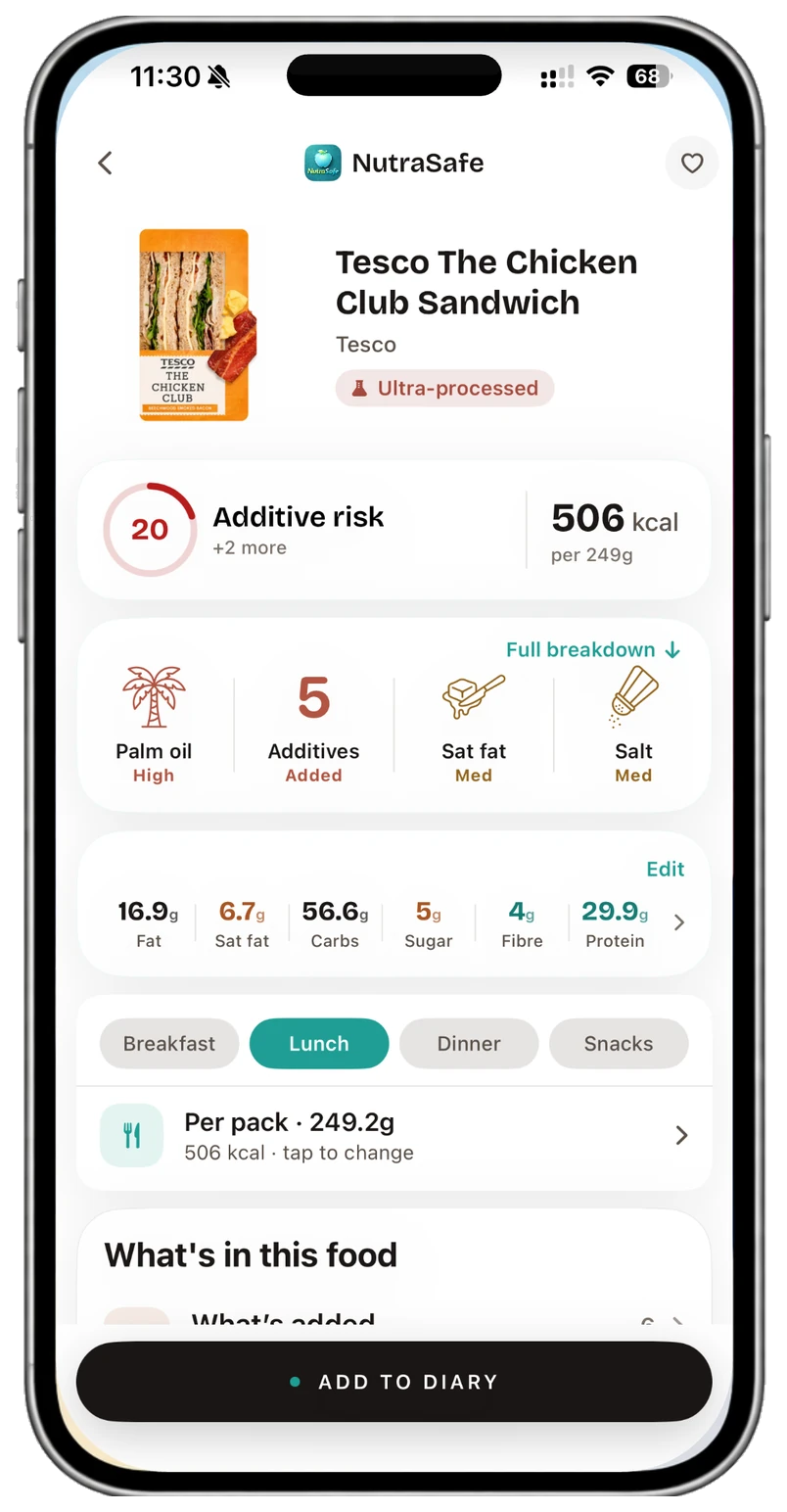
Then see the day
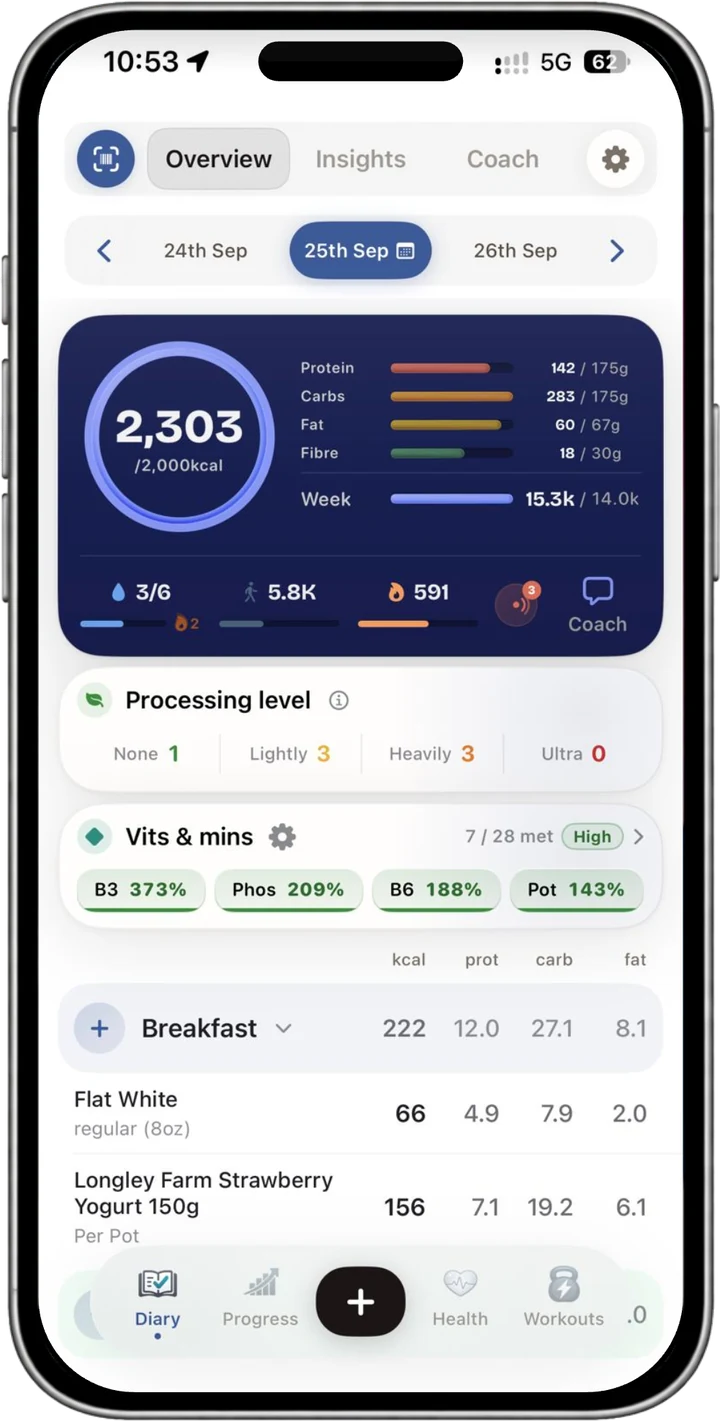
Add breakfast, lunch, dinner and anything in between. Your diary keeps the day’s calories, protein, carbs, fat, fibre and water together. With Pro, it also compares 13 vitamins and 12 minerals with UK reference amounts, with choline and two forms of omega-3 alongside them.
Pick a listed serving, change the grams or save a portion you use often.
Steps, active calories and workouts can come from Apple Health.
See calorie, macro, nutrient and processing trends over time.
01 · SCAN OR SEARCH
Use a barcode, type the name, choose a recent food or take a photo with Pro.
02 · SET THE AMOUNT
Select a serving or enter the weight. The nutrition changes with it.
03 · ADD IT
Your diary updates straight away, ready when you want the detail.
Reactions, workouts and fasting
Keep notes on how you felt, see what you lifted last time and track your fasts alongside your meals.
Reactions
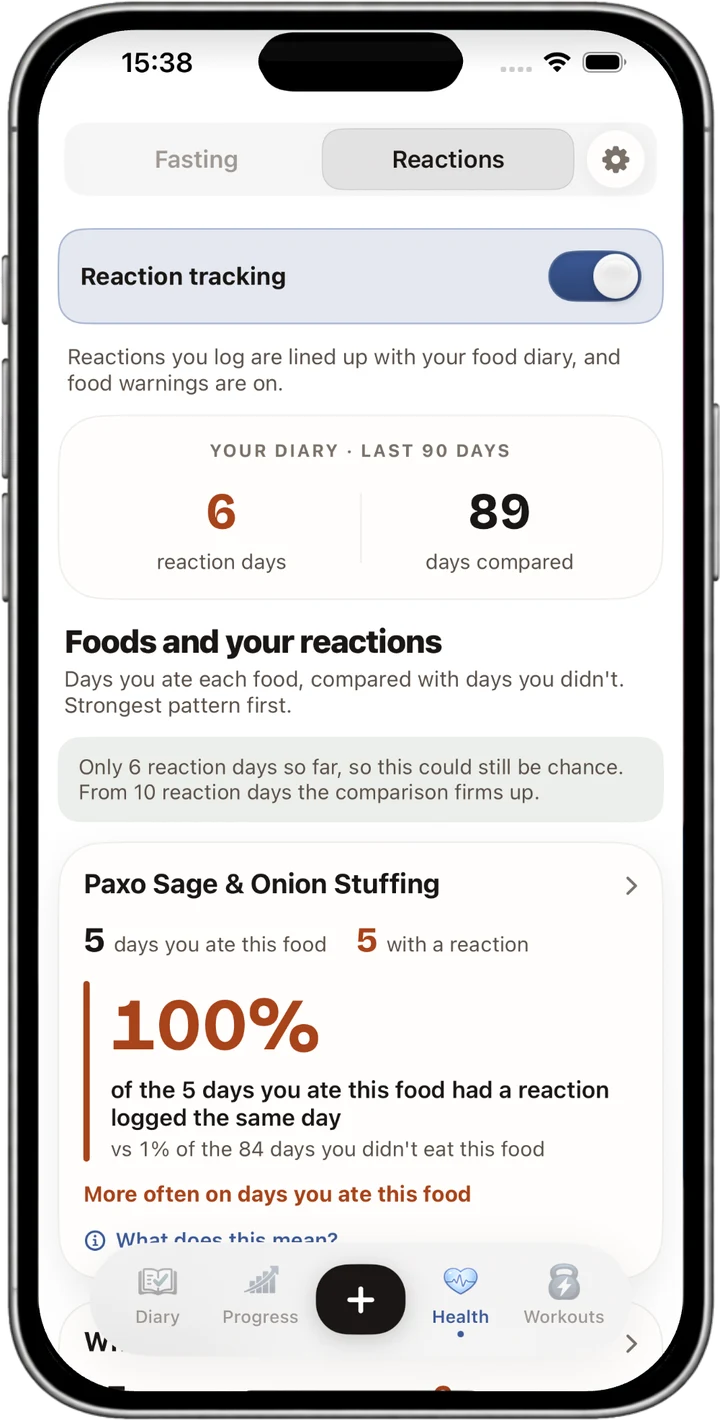
Record how you felt after eating. Pro compares the foods on reaction days with the rest of your diary, giving you a pattern you can discuss with your GP. It does not diagnose an allergy or intolerance.
Workouts · Pro
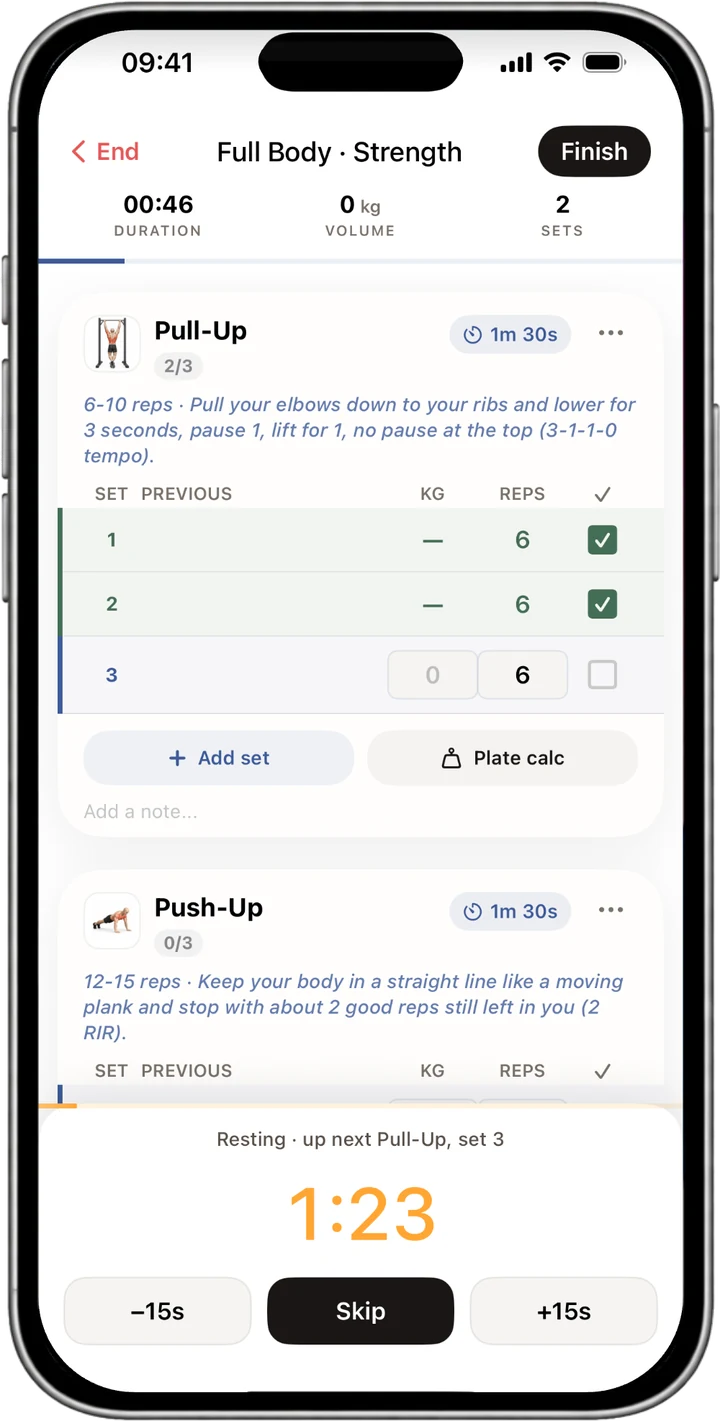
Follow a session, record sets and reps, use the rest timer and see your previous weights as you train. Runs, rides, HIIT and Apple Watch are included too.
Fasting · Pro
Choose a schedule or set your own times. Tick the fasting box as you add a meal to start or end your fast, with the record saved alongside your food.
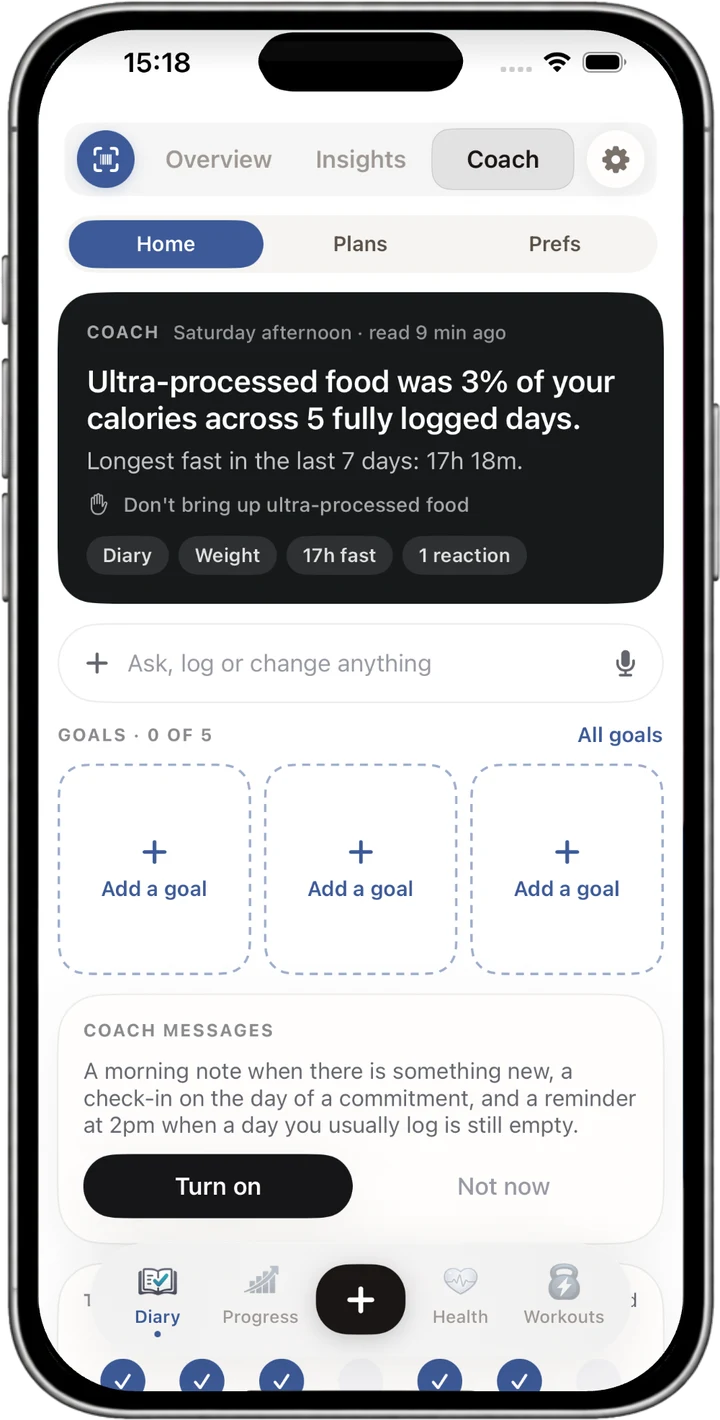
AI Coach · Pro
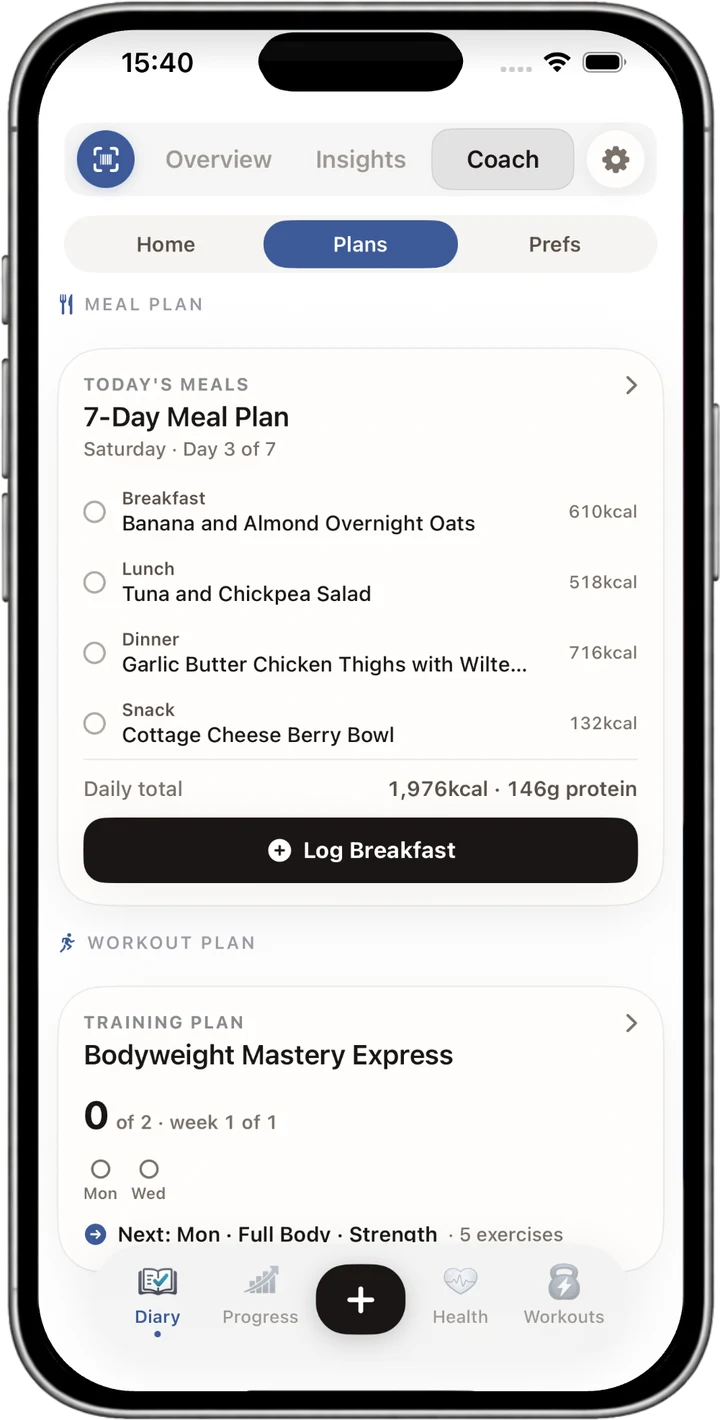
The Coach can read the diary, workouts, fasts and reactions you choose to log. Ask it to explain a trend, add a food, set a goal or make a meal and training plan.
Ask “How did my protein look this week?” and the Coach can work from the meals you’ve added.
The Coach can help you interpret your records. It does not diagnose health conditions.
Other ways to add things
Take a photo of a meal or import a recipe, then check the suggestions before adding them. Apple Health can bring in your activity too.
Take a picture of a plate and NutraSafe estimates the food and nutrition for you to check before adding it.
Bring one in from a web link, a photo or a conversation, then save it for next time.
Add a supplement and its nutrients can count towards the day’s totals.
Record it in the Progress tab and see the change over time.
Bring workouts into NutraSafe and send the food you log back to Apple Health.
Sign into your account and your saved diary is there.
Simple pricing
The download is free. Apple handles the subscription, and you can cancel at any time in your iPhone settings.
£0
No subscription needed
£3.99 / month
or £34.99 a year
Prices shown are the current UK prices. Subscribe and manage billing through Apple. See the full Free and Pro comparison.
Questions, answered
A few useful details about what the app can do and where its limits are.
Any UK barcode in the food database, including branded and supermarket own-brand foods. If a product is missing, you can add it in the app.
No. Scanning, the additive count and Big 14 allergen flags are included free. Pro names and explains each additive and unlocks the wider set of features.
Use it as an extra prompt. Ingredient data can be incomplete or out of date, so always check the packet and never rely on an app alone for a serious allergy.
Not yet. The app is currently available for iPhone on iOS 17 or later. Android is in development.
You return to the free tier at the end of the billing period. Your diary and settings stay with your account.
No. NutraSafe does not sell your diary data. You can read the details in the privacy policy.
Download NutraSafe free on iPhone and start with a scan.
Get NutraSafe on the App Store →